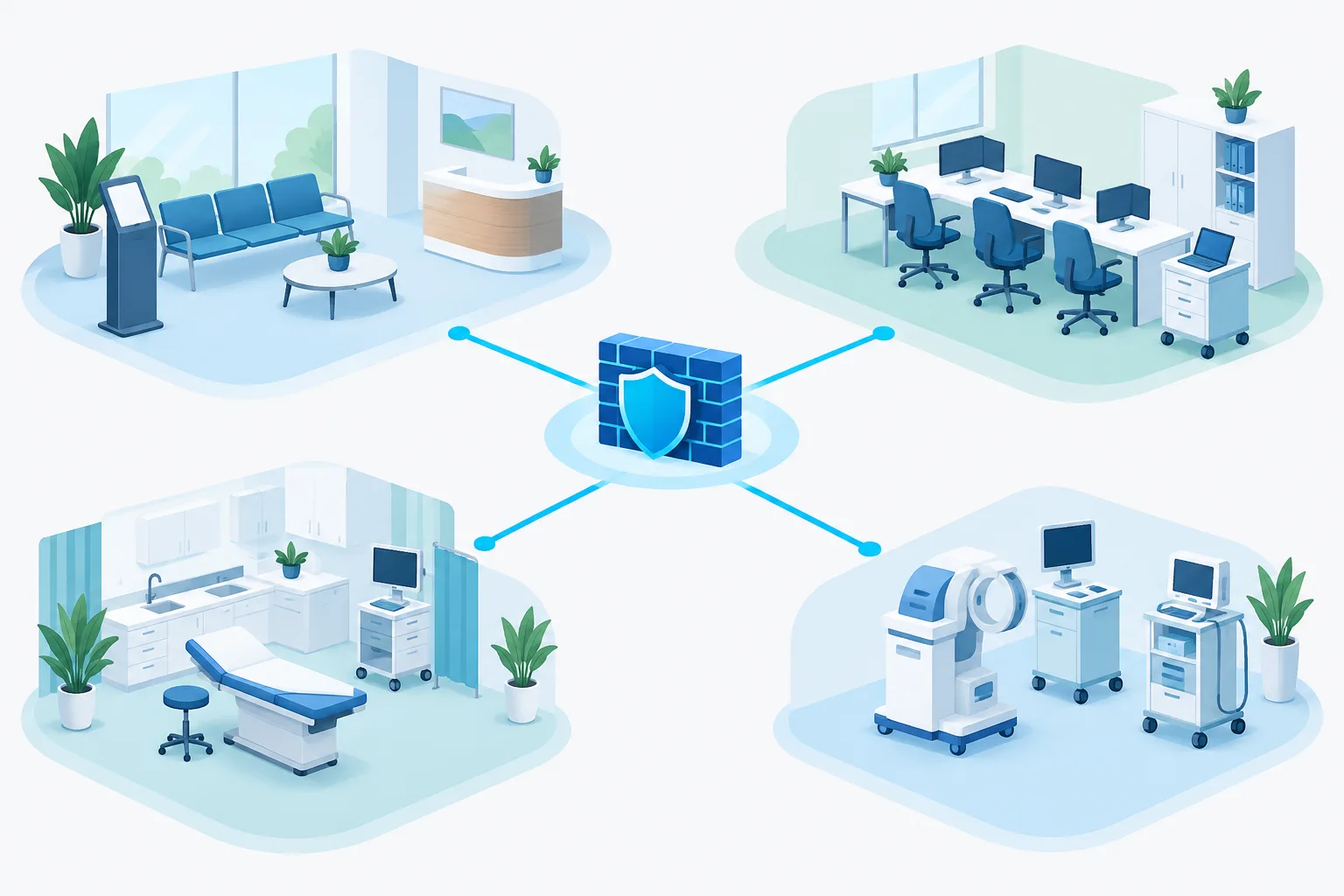
Clinic network segmentation helps a small practice offer patient Wi-Fi while limiting access to staff systems and connected medical equipment. The goal is not simply to create different Wi-Fi names. It is to define which devices can communicate, allow only necessary connections, and check that the rules work in the clinic’s real workflows.
A useful starting point is a simple network diagram. It shows where internet service enters, how the firewall and wireless access points connect, and which devices belong in each zone. Treat the diagram as a planning tool, not a guarantee of security or compliance.
A practical clinic network diagram
Here is one example of how a small clinic might organize its network. The specific equipment and rules should reflect the clinic’s systems, device instructions, and support requirements.
- Internet connection: The clinic’s connection enters the network through a firewall or an equivalent security control.
- Guest zone: Patient and visitor devices connect through a guest Wi-Fi network. This zone should provide internet access without routes into staff systems, medical equipment, or network management.
- Staff zone: Employee computers and approved work devices connect to a separate staff network. Access to the EHR and other internal services is allowed only as needed for work.
- Medical-device zone: Connected clinical equipment uses a separate wired or wireless network where practical. Rules should permit only the documented connections required for clinical use, updates, or approved support.
- Network-management zone: Firewalls, switches, and access points are managed through restricted administrative access. This zone should not be available to patient devices.
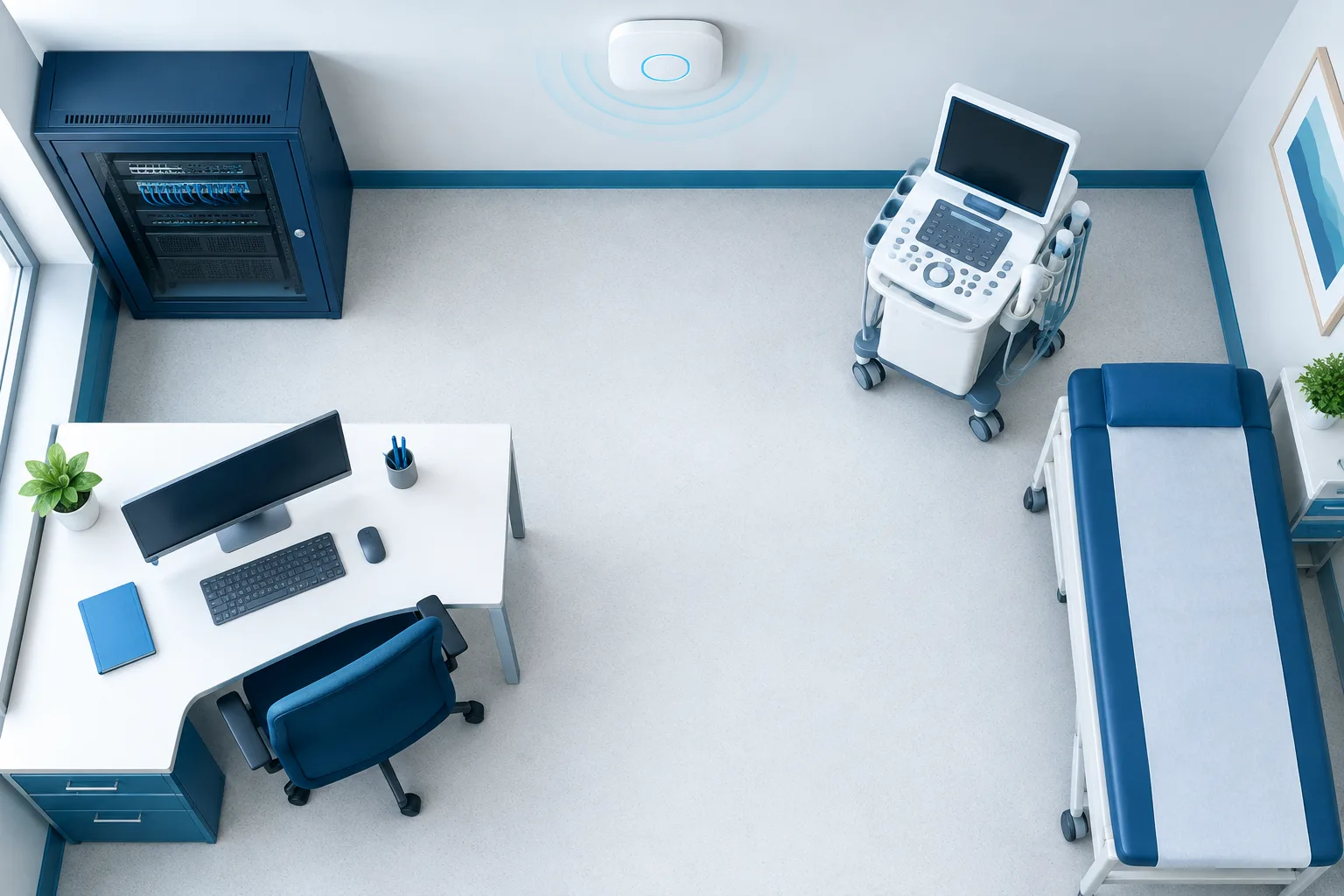
In a physical layout, the internet connection reaches the firewall, which connects to network switches and wireless access points. Staff computers and wired clinical equipment connect to the appropriate switch ports; patient devices connect to the guest wireless network. The firewall or another suitable control governs traffic between zones. A clinic may use different equipment or combine functions, but the access boundaries still need to be explicit.
The network installation planning guide can help with the broader questions of how network equipment and connections fit a workplace.
Separate network names are not enough
Different Wi-Fi names can make it easier for people to choose the right network, but the names themselves do not prove that guest traffic is isolated. The underlying configuration must prevent guest devices from reaching internal addresses and services. CISA’s Wi-Fi security guidance discusses network protections that go beyond naming a wireless network.
Ask whoever manages the network to check the rules between zones. Guest devices should not be able to browse staff computers, printers, clinical devices, or administrative interfaces. Staff devices should reach the services they need, but that does not mean every staff computer should have unrestricted access to every medical device. The network should allow specific, documented paths rather than broad access by default.
Should medical equipment be separated from staff computers?
Often, a dedicated device zone is a sensible design choice, but the right arrangement depends on the equipment and the clinical workflow. A device may need to communicate with a workstation, server, cloud service, or vendor support system. Moving it to a separate network without confirming those dependencies can disrupt useful functions.
Start with an inventory of connected equipment. Record what each device is, where it connects, what systems it needs to reach, and who supports it. Confirm required network connections with the manufacturer or service provider. The FDA’s medical device cybersecurity information is a useful reference for considering device security and the role of manufacturers.
Once requirements are understood, restrict connections to the specific destinations and services that have a documented purpose. If the device does not need to communicate with general staff computers or the guest network, block those paths. Keep the device’s clinical function in view when making changes, and coordinate testing with the people who use and support it.
Give vendors limited, approved access
Some equipment needs vendor support, but that does not mean a vendor should have open access to the clinic network. Document the device and support need, identify the system that must be reached, and limit access to that approved path. Keep vendor access separate from guest Wi-Fi, and avoid leaving a broad connection available when it is not needed.
Before changing a device’s network settings or restricting a connection, ask the manufacturer or service provider what the equipment requires. Record the agreed access and have a plan to verify that the device continues to work after the change. This helps avoid both excessive access and a separation plan that interrupts a clinical workflow.
Test isolation and document the plan
A network diagram is only useful if it matches the installed network and its rules. Test from a guest device to confirm that it can reach the internet but cannot reach internal systems or equipment. Then check that staff can reach the approved work services and that necessary medical-device connections still function. Testing should include the paths that matter to the clinic, not just whether each Wi-Fi network connects.
Keep the diagram and supporting notes current. Include the zones, wireless access points, wired connections, devices, approved traffic paths, and the person or provider responsible for changes. Update the record when equipment, vendors, or workflows change. For a broader security review, Flagler businesses can also refer to this guide on strengthening business data security.
HIPAA does not mean that one particular Wi-Fi name, VLAN, or network diagram is automatically the right answer for every clinic. Avoid treating a particular topology as proof of compliance. Use a documented, risk-based approach to select safeguards for the clinic’s environment, and consult an appropriate compliance professional when assessing specific obligations.
Frequently asked questions
How should a clinic separate guest Wi-Fi from its internal network?
Put guest devices in a network zone that provides internet access but blocks routes to staff systems, medical equipment, and network-management interfaces. Verify the actual access rules rather than relying on a separate Wi-Fi name.
How can staff access the EHR without exposing medical equipment?
Allow staff devices to reach the EHR through approved network paths, while limiting or blocking connections from those devices to medical equipment unless a documented workflow requires them. Confirm the design with the people responsible for the systems.
What should a clinic include in a segmentation plan?
Include a current device inventory, a diagram of network zones and connections, the approved traffic paths between zones, guest-access rules, device and vendor requirements, and a process for testing and updating the plan.
Does HIPAA require a specific network design?
Do not assume that one specific network layout establishes compliance. A clinic should assess its environment and document appropriate safeguards; questions about particular obligations should go to a qualified compliance professional.
Make the network fit the clinic
Good clinic network segmentation balances separation with the connections staff and medical equipment genuinely need. Map the zones, document the permitted paths, and test guest isolation and clinical workflows before treating the design as complete. Flagler IT Services supports businesses across Flagler County with network management and technology services. To discuss a clinic network review, call (386) 260-0777.